
You are on the documentation page for the Toret Czech greeting (České oslovení) plugin for WooCommerce, which inflects the customer’s name in emails (vocative case). You can purchase the Czech greeting plugin here: Toret Czech greeting for WooCommerce
Plugin Installation
Upon purchasing the plugin, you will receive a license key and a download link for the plugin zip file via email. You can find detailed instructions on how to install the plugin from your computer into WordPress here.
Plugin Activation
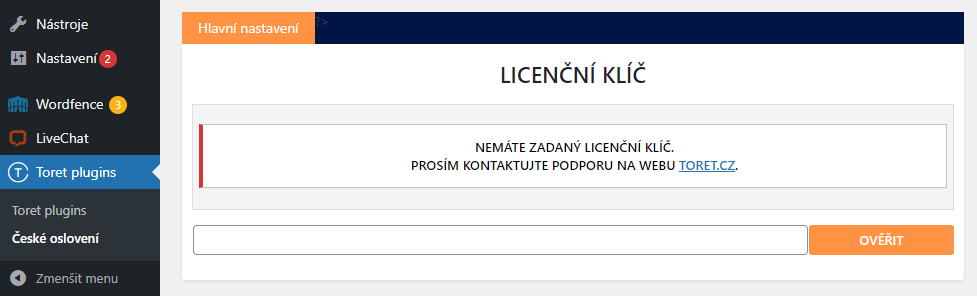
After installing the plugin, open the Toret Czech greeting plugin, insert the license key into the appropriate field, and click the button to activate.
Plugin Settings
After saving the license key, the plugin settings will appear. The individual functions in the settings are explained below.
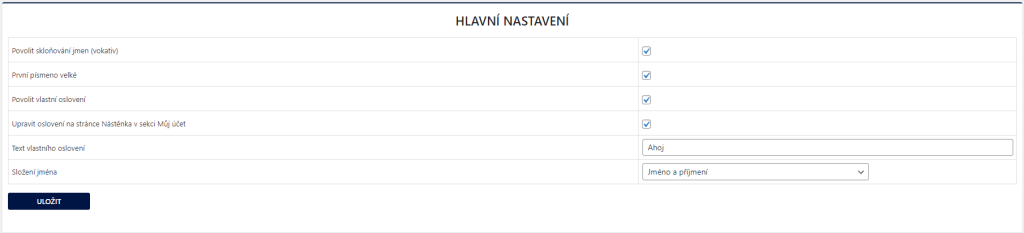
Povolit skloňování jmen (vokativ) / Enable name inflection (vocative): Activation allows the use of the configured inflection.
První písmeno velké / Capitalize first letter: The function always prints the name with a capital initial letter.
Povolit vlastní oslovení / Enable custom greeting: Activating this function enables custom greeting, which is configured in the “Text vlastního oslovení” (Custom greeting text) field.
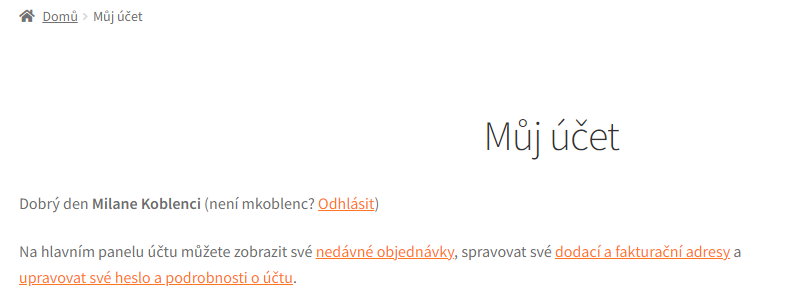
Upravit oslovení na stránce Nástěnka v sekci Můj účet / Modify greeting on the Dashboard in My Account section: In case you want to inflect greeting also in the My Account section, you must activate this function and also have the “Enable custom greeting” function active.
Složení jména / Name composition: Here you can choose the form of the name used to address the customer. You can choose first name, last name, or a combination of both.
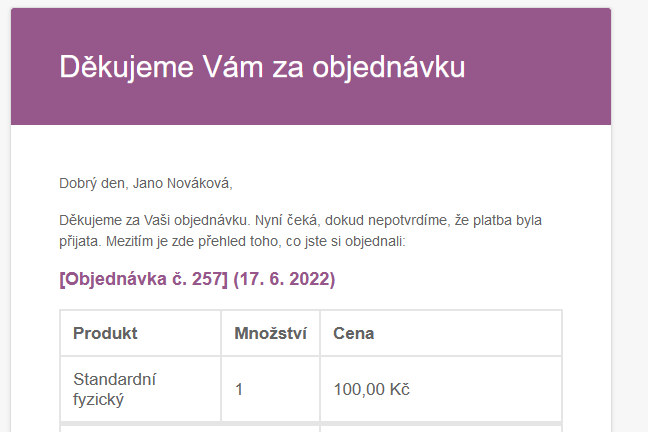
Example in email:
Example in My Account section:
Plugin testing
For testing purposes, you can use:
- the subdomain “dev.domainlicense” (with the same license as for the production website)
- localhost (127.0.0.1)
Purchased plugins will also work in these locations, and you can test their implementation and compatibility here before deploying them to the website and during its use.