
You are on the documentation page for the Toret EU VAT for WooCommerce plugin, which enables sales in the reverse charge mode in the e-shop.
You can purchase the EU VAT plugin here: Toret EU VAT for WooCommerce
Plugin Installation
Upon purchasing the plugin, you will receive a license key and a download link for the plugin zip file via email. You can find detailed instructions on how to install the plugin from your computer into WordPress here.
Plugin Activation
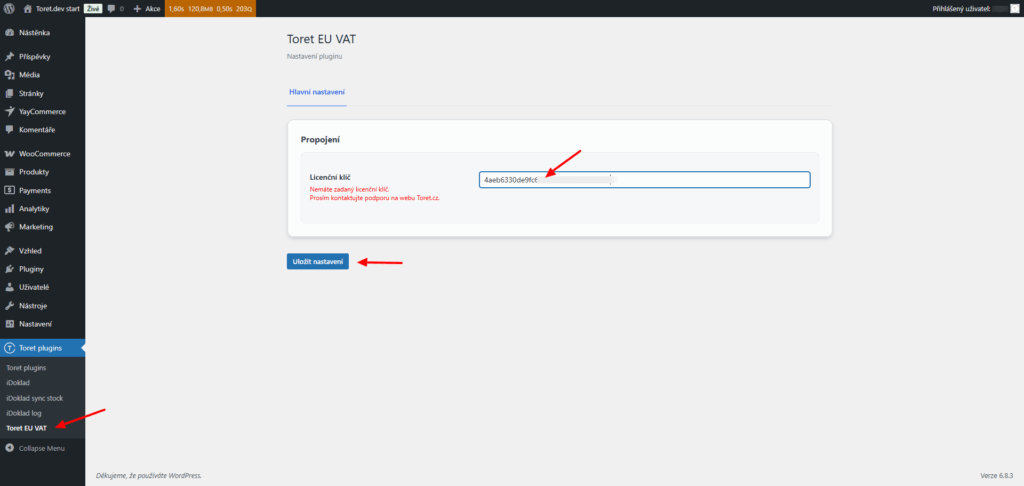
After installing the plugin, open the Toret EU VAT plugin (Toret Plugins > Toret EU VAT), insert the license key into the appropriate field, and save to activate.
Plugin Settings
Perform the entire configuration directly in the EU VAT plugin (Toret Plugins > Toret EU VAT). Always remember to save changes using the button at the bottom of the page.
Company Fields for Checkout
Activate the display of fields for Company ID (IČ), Tax ID (DIČ), VAT ID (IČ DPH), and Company Name in the checkout by checking the checkbox Přidat pole do pokladny (IČ, DIČ, IČ DPH) (Add fields to checkout). After checking it, additional optional functions will appear:
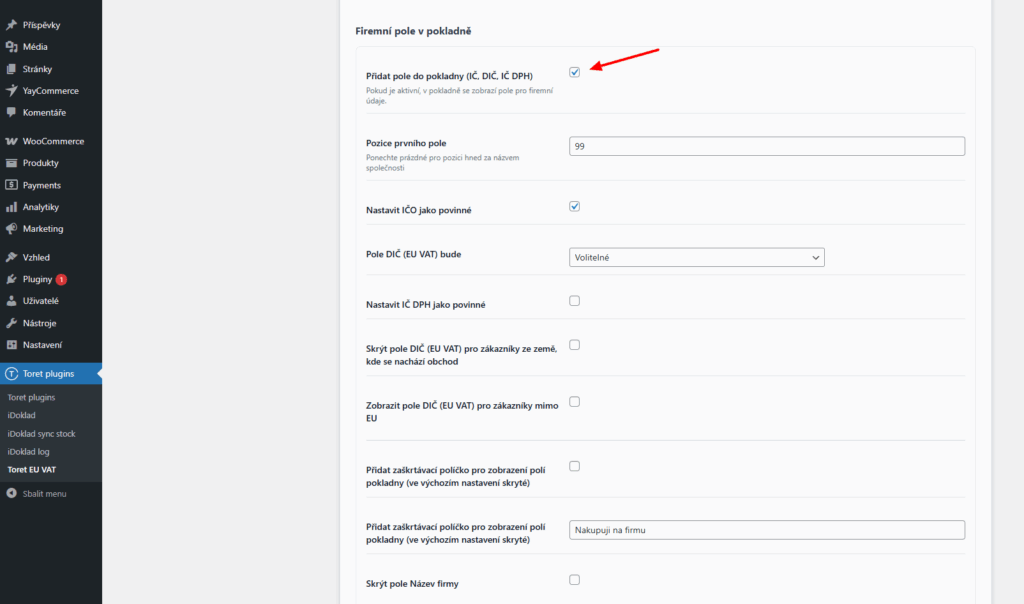
- Pozice prvního pole (First field position) – adjusts where the company fields will appear in the checkout.
If left empty, the fields for Company ID, Tax ID, and VAT ID will be placed immediately after the company name field. If you enter a numeric value, the fields will appear at the corresponding position relative to other checkout fields.
- Nastavit IČO jako povinné (Set Company ID as mandatory)
- Pole DIČ (EU VAT) bude (Tax ID / VAT ID field will be): Optional, Always mandatory, Mandatory only for EU addresses
- Nastavit IČ DPH jako povinné (Set VAT ID as mandatory)
If you set fields as mandatory, the customer will not be able to submit the order without filling them in.
Furthermore, you can adjust the visibility of the Tax ID field:
- Skrýt pole DIČ (EU VAT) pro zákazníky ze země, kde se nachází obchod (Hide Tax ID field for customers from the shop’s country)
- Zobrazit pole DIČ (EU VAT) pro zákazníky mimo EU (Show Tax ID field for non-EU customers)
And also adjust the visibility of company fields in the checkout:
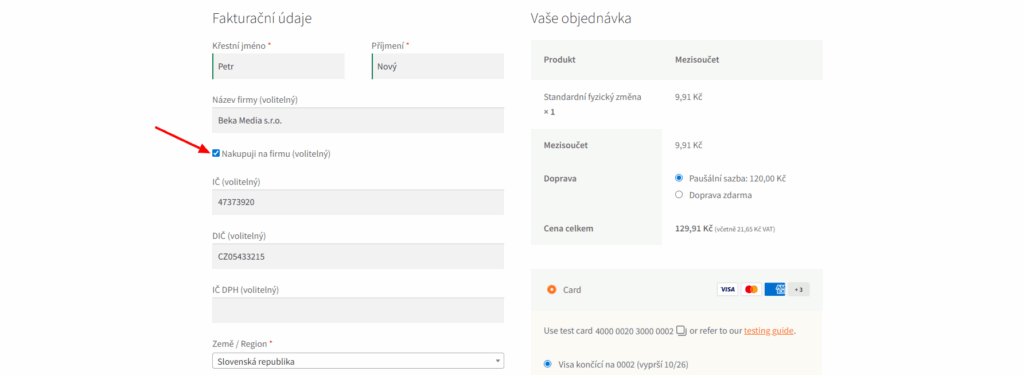
- Přidat zaškrtávací políčko pro zobrazení polí pokladny (Add a checkbox to display checkout fields) (hidden by default) – see image below
- Text zaškrtávacího pole (Checkbox text) – adjusts the description for the checkbox
- Skrýt pole Název firmy (Hide Company Name field) (visible by default)
Automatic Data Verification
Verification of Tax ID (DIČ) / VAT ID (IČ DPH) correctness via VIES always takes place.
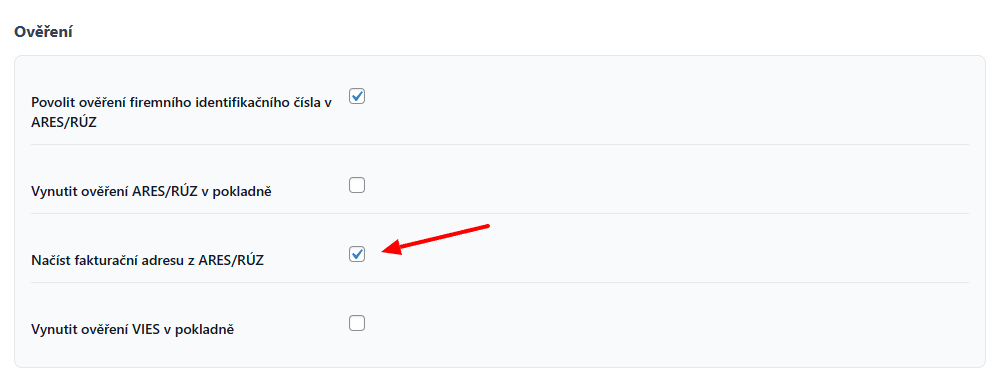
Enable verification of Company ID (IČ) correctness via ARES (CZ) or RÚZ (SK) by checking the checkbox Povolit ověření firemního identifikačního čísla v ARES/RÚZ (Enable verification of company identification number in ARES/RÚZ). After activating the function, additional settings will appear:
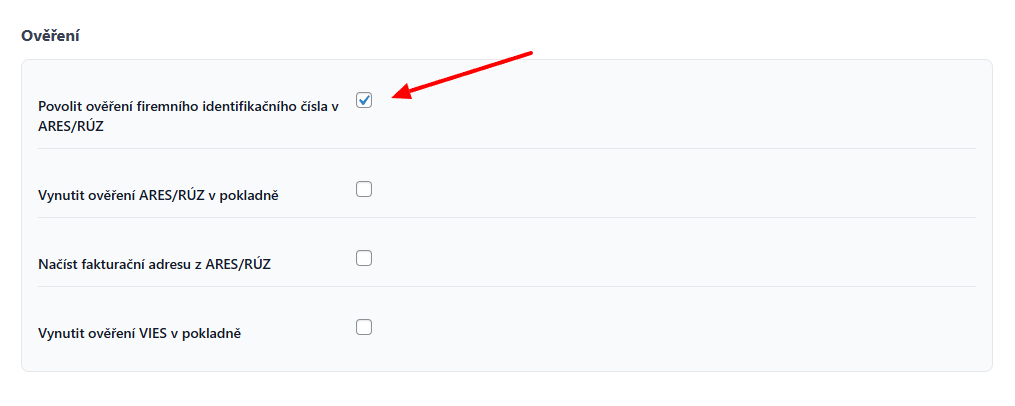
- Vynutit ověření ARES/RÚZ v pokladně (Force ARES/RÚZ verification in checkout) (for Company ID)
- Vynutit ověření VIES v pokladně (Force VIES verification in checkout) (for Tax ID)
If you enable forced verification, the customer cannot submit the order until they enter data that passes verification as correct.
- Ignorovat validaci VIES při neúspěšném spojení (Ignore VIES validation on connection failure) – if the connection to VIES fails, the order will not be blocked
Automatic Billing Details Completion (Autocomplete)
When the function Ověření firemního identifikačního čísla v ARES/RÚZ (Verification of company identification number in ARES/RÚZ) is on (see above), it is also possible to turn on the autocomplete/whisperer for automatic completion of billing details. After filling in the correct Company ID, other data is automatically filled from the register (ARES/RÚZ).
Turn on the function by checking the checkbox Načíst fakturační adresu z ARES/RÚZ (Load billing address from ARES/RÚZ) in the Verification section.
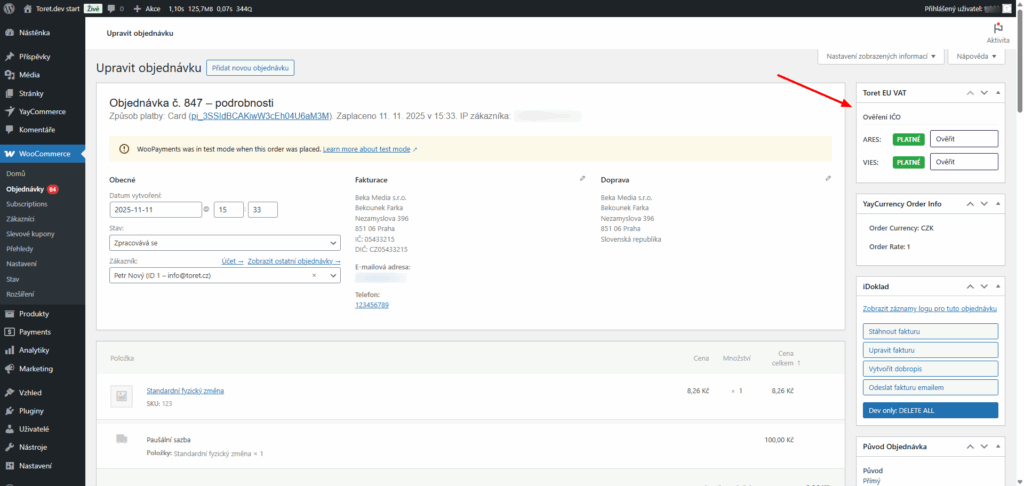
Manual Verification in Order Detail
You can find the verification status and the option for manual verification in the metabox in the order detail.
Reverse Charge Settings
Enable the application of reverse charge by checking the checkbox Povolit přenesení daňové povinnosti pro zákazníky s platným DIČ (Enable reverse charge for customers with valid VAT ID). In such a case, customers with a valid VAT ID will be charged the order price without tax. After turning on the function, additional settings will appear:
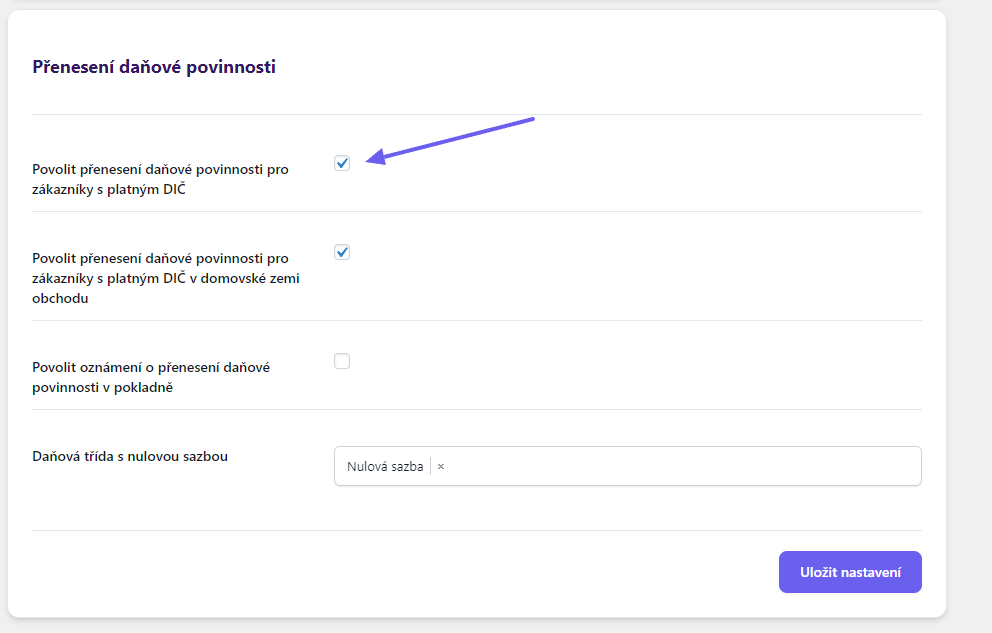
- Povolit přenesení daňové povinnosti pro zákazníky s platným DIČ v domovské zemi obchodu (Enable reverse charge for customers with valid VAT ID in the shop’s home country) – to enable reverse charge domestically
- Povolit oznámení o přenesení daňové povinnosti v pokladně (Enable notification of reverse charge in checkout) – displays information about the application of reverse charge in the checkout
- Daňová třída s nulovou sazbou (Tax class with zero rate) – if you use a zero tax rate in your e-shop, select and assign it here
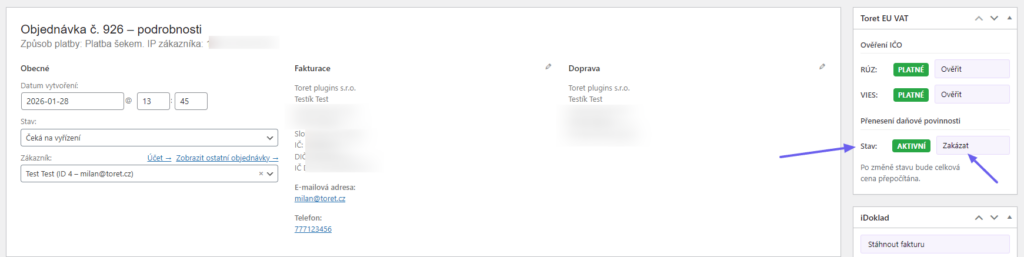
Manually Disabling Reverse Charge in Order Detail
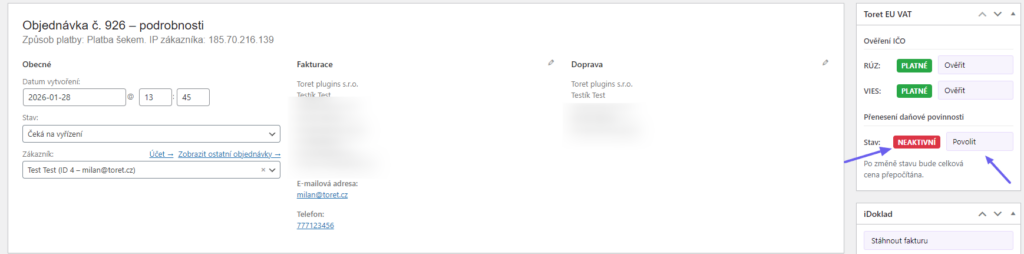
In the order detail in the Toret EU VAT metabox, you can see the reverse charge status for the given order. Reverse charge can be disabled/enabled by clicking the Disable/Enable button. Upon change, the order will be recalculated.
Testování pluginu
Pro účely testování můžete využít:
- subdoménu “dev.doménalicence” (se stejnou licencí jako pro produkční web)
- localhost (127.0.0.1)
Na těchto umístěních budou zakoupené pluginy fungovat také a můžete zde otestovat implementaci a kompatibilitu před ostrým nasazením na web i v průběhu jeho užívání.