
You are on the documentation page for the Toret Velkoobchod (Wholesale) for WooCommerce plugin, which adds wholesale sales capabilities to your e-shop.
You can purchase the Wholesale plugin here: Toret Velkoobchod for WooCommerce
Plugin Installation
Upon purchasing the plugin, you will receive a license key and a download link for the plugin zip file via email. You can find detailed instructions on how to install the plugin from your computer into WordPress here.
Plugin Activation
After installing the plugin, open the Toret Velkoobchod plugin, insert the license key into the appropriate field, and click the button to activate.
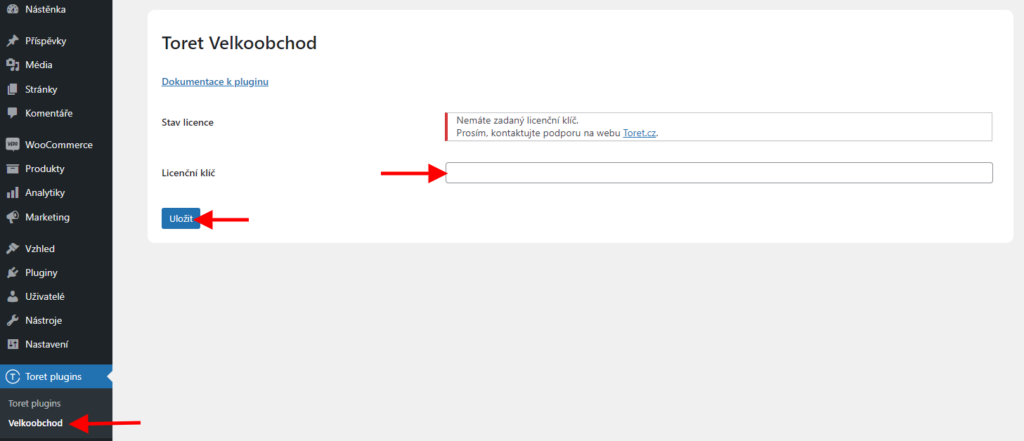
After installation and activation, it is time to configure the Wholesale plugin.
Wholesale Customer Registration
1. Registration
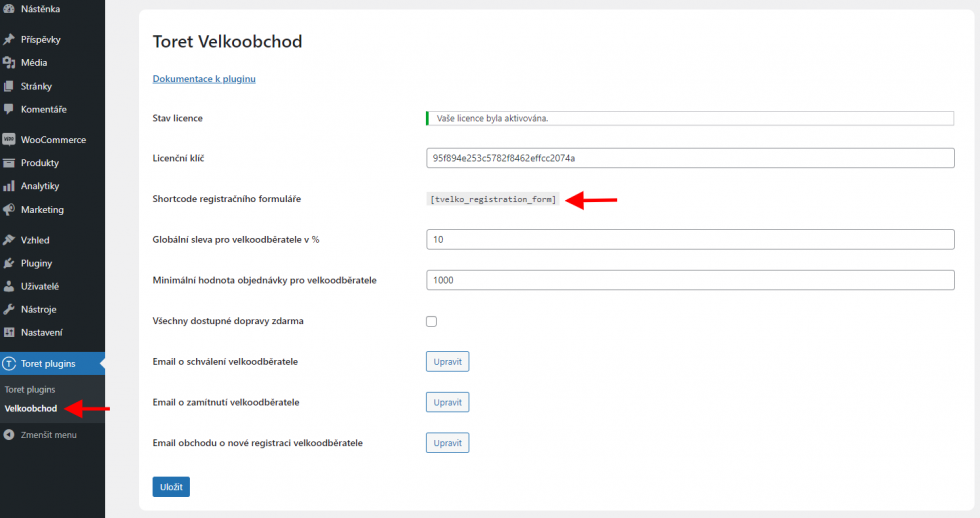
For a customer to register as a wholesale subscriber, it is necessary to add a registration form to the website. Add the form using the shortcode [tvelko_registration_form] to any page on the website where you want to place the form. You can also find the shortcode in the plugin settings Toret plugins → Velkoobchod.
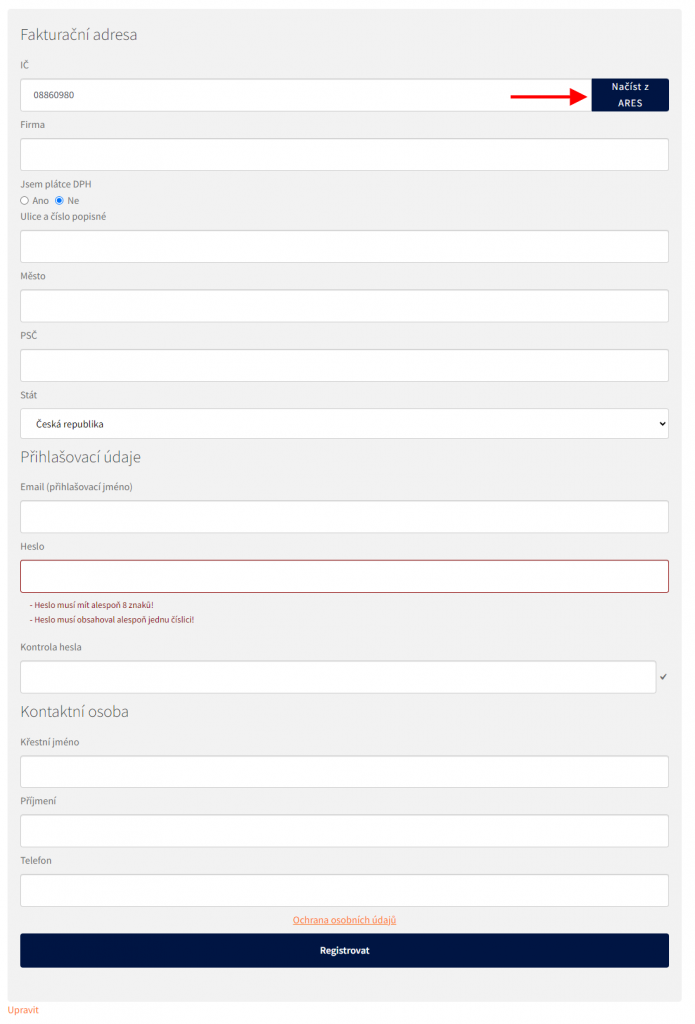
The registration form allows automatic filling of data. After entering the Company ID (IČ), users will see a button to load data from the ARES (CZ) or RÚZ (SK) database, or it is possible to fill in the data manually.
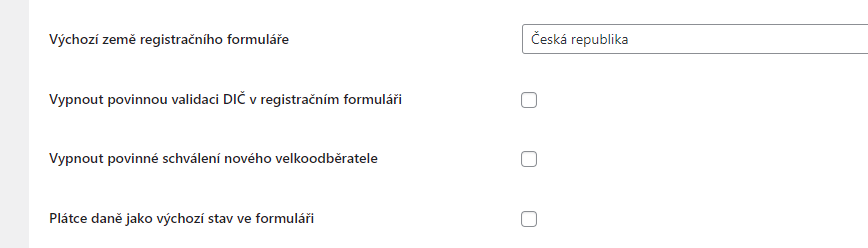
In the plugin settings (Toret plugins >Velkoobchod), the registration process can be further customized:
- Set default country for registration form
- Disable mandatory VAT ID validation in registration form
- Disable mandatory approval of new wholesale customer
- VAT payer as default state in form
2. Approval or Rejection
Once the customer completes the registration, you will receive information about the registration on the email set in WordPress.
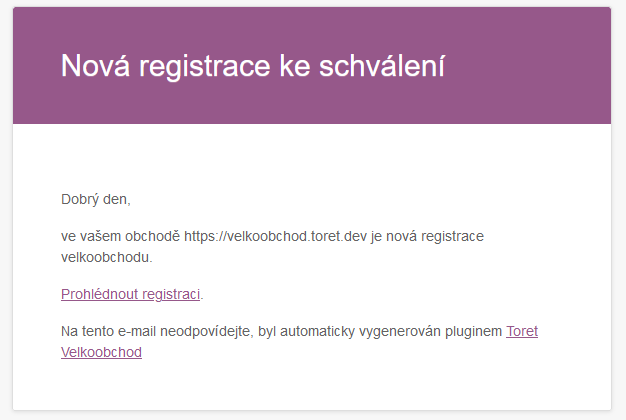
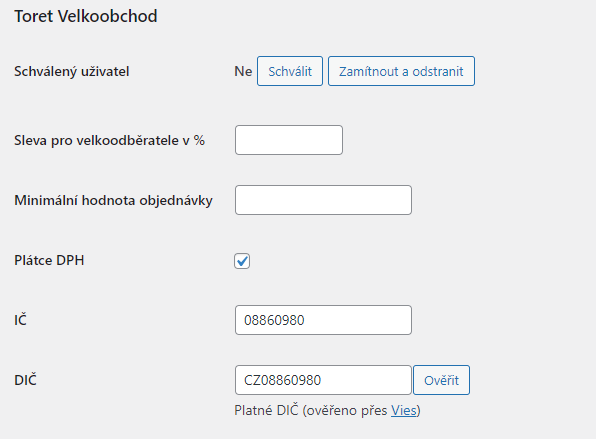
Via the “Prohlédnout registraci” (View registration) link, you can go straight to the detail of the registered user who has the role Velkoodběratel (Wholesale Customer). Approval or rejection of a new wholesale customer can be done in the user detail in the Toret Velkoobchod section.
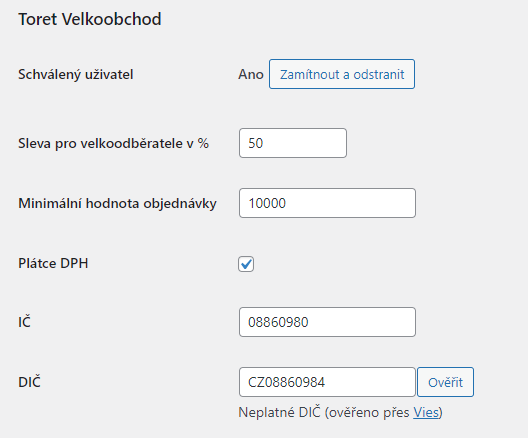
In the user detail, you will also find discount settings and minimum order value for this wholesale customer. Settings at the user level override global settings in the plugin.
If the wholesale customer is a VAT payer, it is possible to verify the entity via VIES.
In the overall WordPress user overview, the plugin adds several columns where you can see if the user is approved for wholesale, what wholesale discount is set, and if they are a VAT payer.

3. Emails
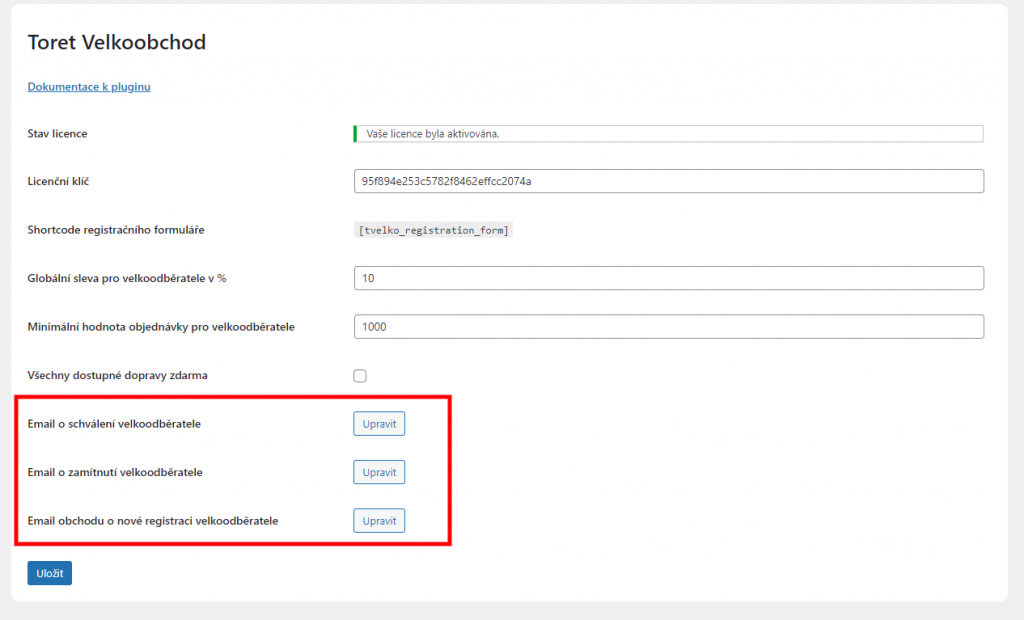
Once the user is approved or rejected, they will receive a message about the registration result at their registration email. In the plugin settings, it is possible to access the settings of each email via the “Upravit” (Edit) button and modify the email or turn off its sending.
4. Adding Link for Terms and Conditions
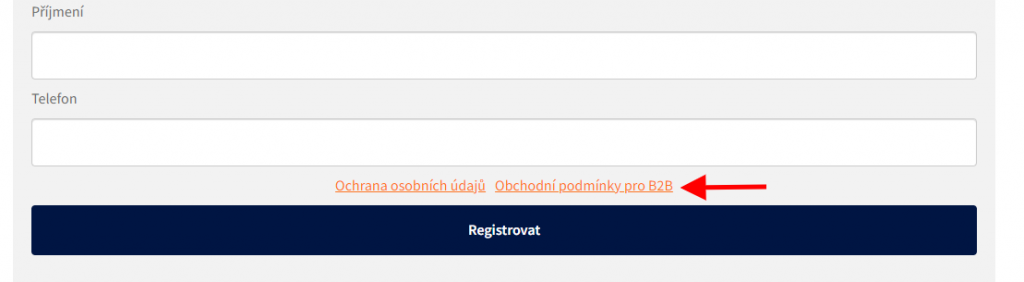
In the plugin settings, it is possible to add a link to the Terms and Conditions page at the end of the registration form and use custom wording for the link.

Setting Wholesale Discounts and Conditions
Setting discounts and conditions is possible at four levels:
- global
- user level
- product level
- category level
Discount calculation can be performed only from the regular price or can also include sale prices. You can find this option in the plugin settings (Toret Plugins > Velkoobchod).

1. Global
The global discount level setting applies to all users who do not have an individual discount set in their user role.
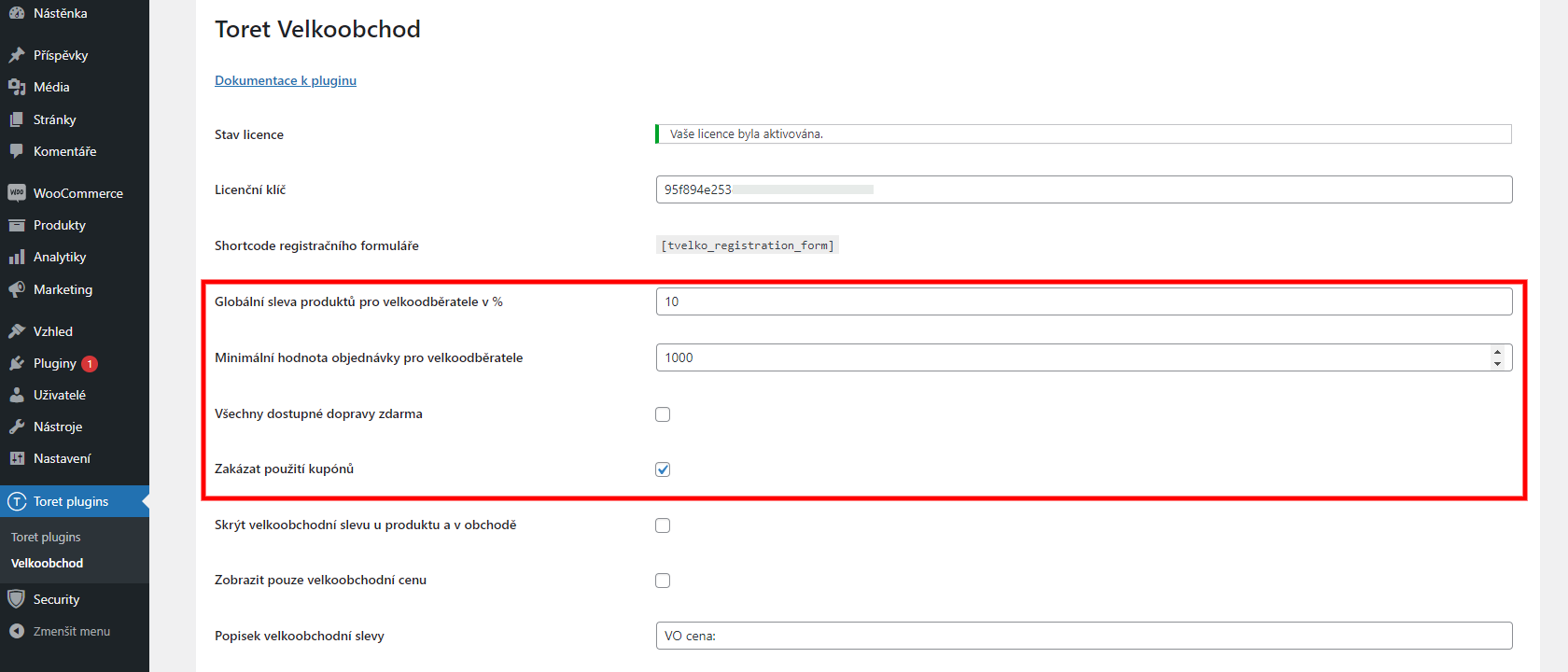
The global discount is set directly in the plugin (Toret plugins → Velkoobchod). It is possible to set a percentage discount that applies to all products in the cart that are not excluded from the discount.
In addition to the global discount, it is possible to set a global minimum order value for wholesale customers. If there are goods with a lower value in the cart, the order cannot be completed.
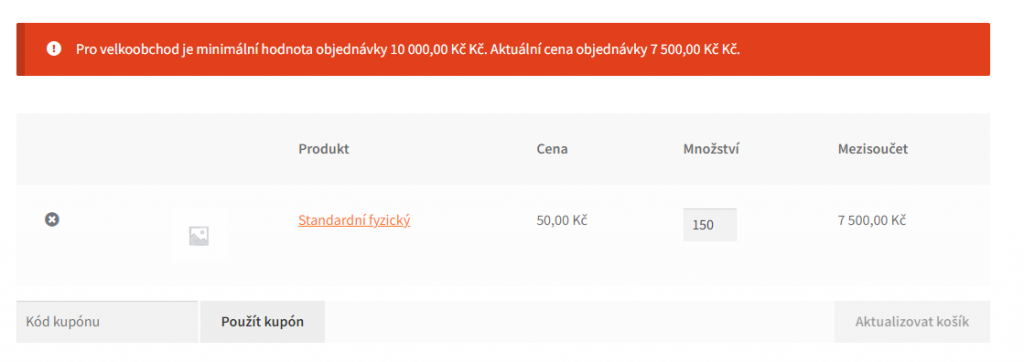
In the global settings, it is also possible to set that all shipping methods are free for wholesale customers or disable the use of discount coupons.
A little lower in the settings, you can also enable tiered discounts (postupné slevy). These can be set by weight, number of items, or order price.

2. User Level
Discount or minimum order value at the WordPress user level override the global settings. They can be set for each user with the Velkoodběratel (Wholesale Customer) role.
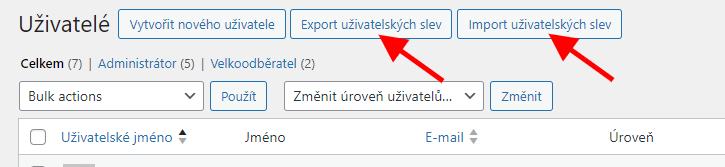
Import/Export of User Discounts
User discounts can be easily imported/exported via a CSV file directly in the user overview.
3. Product Level
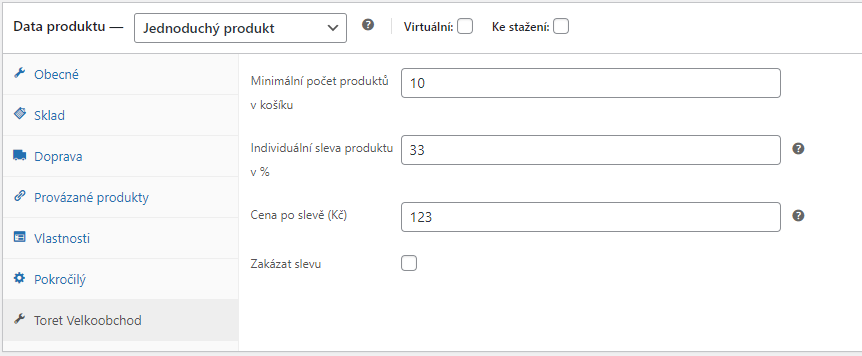
Setting individual discount, minimum quantity of products in cart or fixed price after discount at the product level overrides conditions at the user level. It thus has the highest priority of all discount settings.
You can also disable the discount for a given product. In that case, the wholesale discount from any setting will not apply to the disabled product. You can find these settings for each product on the “Toret Velkoobchod” tab.
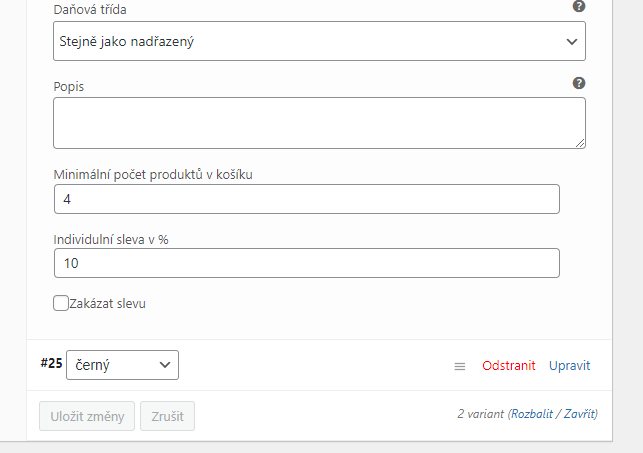
For variable products, the wholesale conditions settings are at the end of each variation settings.
4. Category Level
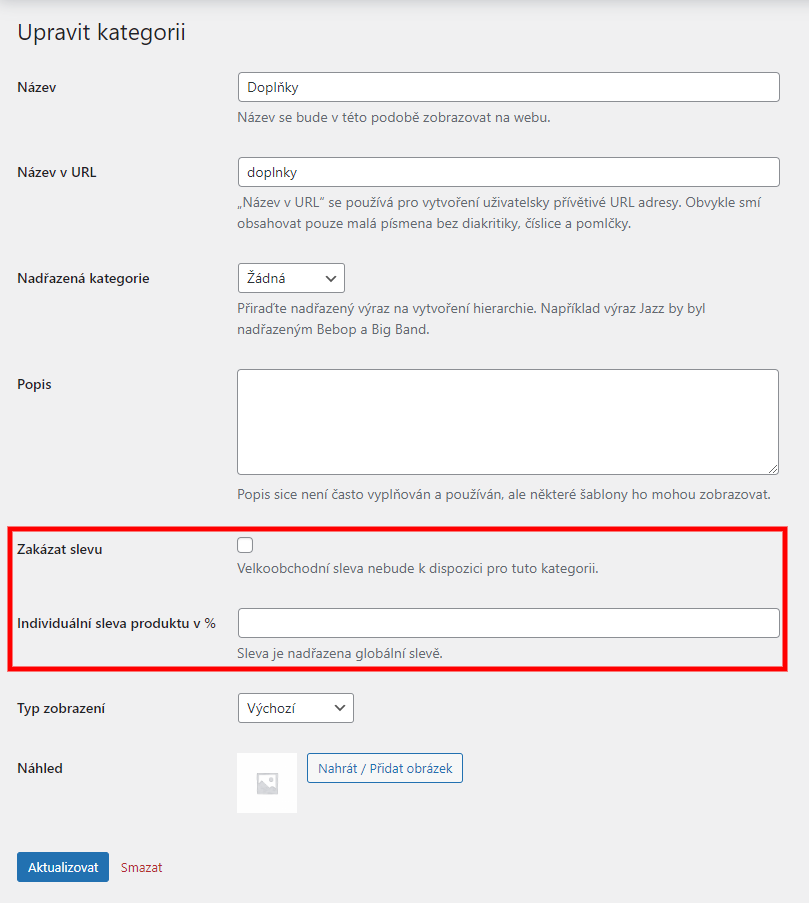
At the category level, it is possible to disable or set a discount for all products in the given category. Disabling the discount can be set directly when creating a category or you can disable/enable it at any time directly in the settings of the specific category.
5. Wholesale Discount Display
The set discount is displayed to every logged-in user according to the set conditions.
The discount is displayed in the product detail and in the product overview.
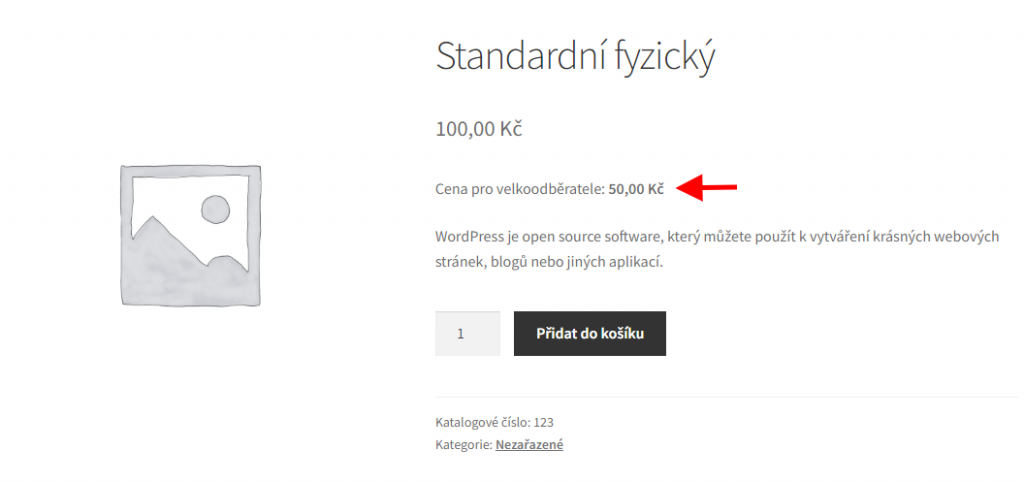
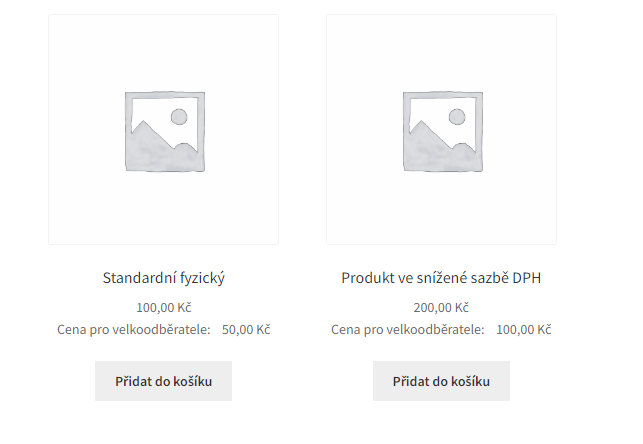
Wholesale price display can be customized in the main plugin settings (Toret plugins > Velkoobchod). You can:
- Hide wholesale discount on product and in shop
- Display only wholesale price
- Edit wholesale discount label
- Strike through product price if wholesale price is available
- Do not display wholesale discount if the price is the same as default
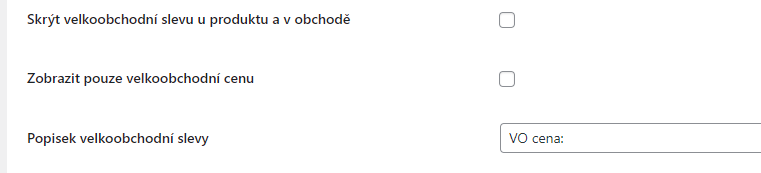

To display the wholesale price, you can use the shortcode [tvelko_product_price tax=”included”]. The tax parameter value can be changed (“included” = wholesale price with VAT, “excluded” = wholesale price without VAT).
6. Disabling Coupons for Wholesale
In the plugin settings, it is possible to disable the use of coupons for wholesale customers. After activating the “Zakázat použití kupónů” (Disable coupon usage) function, the option to enter a coupon for wholesale users will be hidden in the cart and checkout.
Payment on Invoice (Platba na fakturu)
The plugin adds a custom payment method Platba na fakturu (Payment on Invoice) to WooCommerce. It is practically a bank transfer payment method, but it is displayed only to wholesale customers and the logged-in web administrator.
The Platba na fakturu payment method is standardly in the payment method settings (WooCommerce → Settings → Payments).
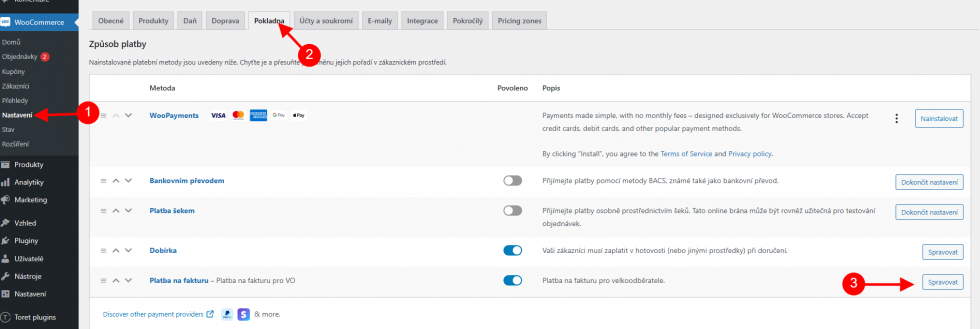
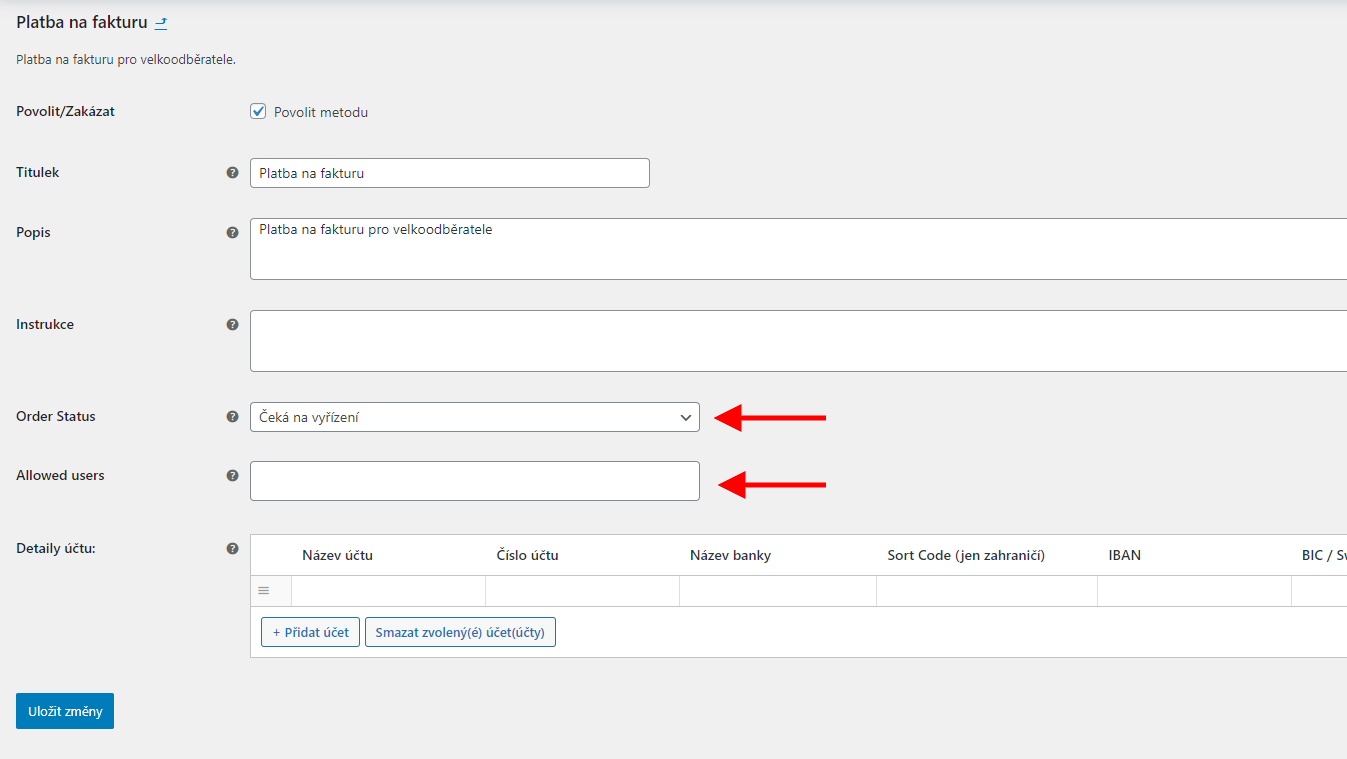
In the payment method detail, you can set a custom title, description, instructions, and account number with other bank account details, just like in the standard bank transfer payment method.
Compared to the regular payment method in WooCommerce, it is possible to set the status the order will have after its creation, and also select specific users for whom this payment method will be available.
Filters in the Plugin
It is not necessary to use filters to use the plugin. Filters serve to extend or customize the functionality of the plugin. Your programmer can help you with their implementation.
Extending User Role Permissions
Filter for extending the permissions of custom user roles for the purpose of approving and setting conditions for wholesale users.
add_filter('toret_velkoobchod_approvers','custom_toret_velkoobchod_approvers');
function custom_toret_velkoobchod_approvers($approvers){
    $approvers[] = 'contributor'; //role slug
    return $approvers;
}
Disabling Plugin CSS
Filter to disable CSS on the frontend:
toret_velkoobchod_skip_public_stylesFilter to disable CSS in administration:
toret_velkoobchod_skip_admin_stylesTestování pluginu
Pro účely testování můžete využít:
- subdoménu “dev.doménalicence” (se stejnou licencí jako pro produkční web)
- localhost (127.0.0.1)
Na těchto umístěních budou zakoupené pluginy fungovat také a můžete zde otestovat implementaci a kompatibilitu před ostrým nasazením na web i v průběhu jeho užívání.