
You are on the documentation page for the Toret Custom order numbers plugin, which allows sequential order numbering in WooCommerce.
You can purchase the Custom Order Numbering plugin here: Toret Order Numbers for WooCommerce
Plugin Installation
Upon purchasing the plugin, you will receive a license key and a download link for the plugin zip file via email. You can find detailed instructions on how to install the plugin from your computer into WordPress here.
Plugin Activation
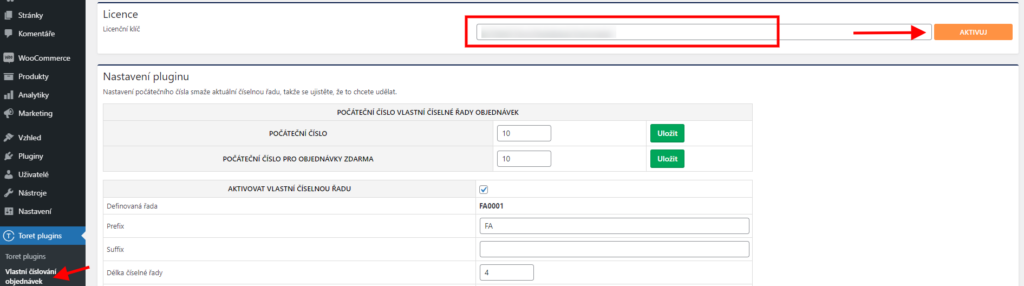
After installing the plugin, open the Toret Order Numbers (Toret Vlastní číslování objednávek) plugin, insert the license key into the appropriate field, and click the button to activate.
Basic Settings
After installing and activating the plugin, proceed to its settings. This is found under the tab Toret plugins → Vlastní číslování objednávek (Custom Order Numbering).
The plugin settings are simple. The following options can be set:
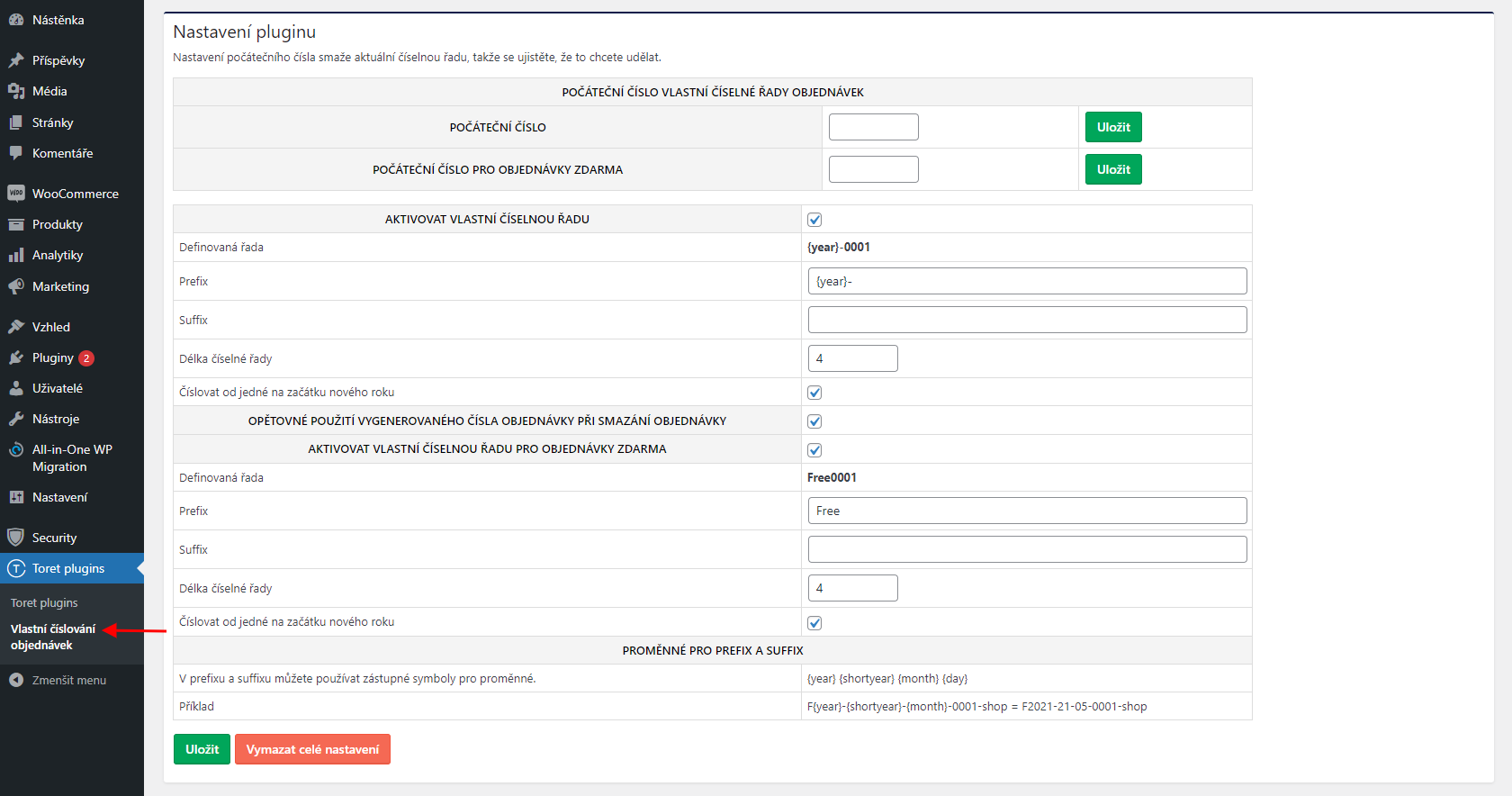
Initial Number of Custom Order Number Series
Right at the beginning, it should be noted that if you do not set an initial number, the set number series will start from 1. So it is not necessary to set an initial number if you want to start counting orders from 1.
The initial number can serve if you are migrating to our plugin from another numbering plugin and want to continue numbering. You set the number series in the plugin and choose a value, e.g., 200, as the initial number; with this setting, the first order number will be in the format 200.
If it were to happen that an order with the same number including format exists, this number will be skipped.
Example: If order 2021-00122 already exists and you set the initial number from 122, the order number 2021-00122 will be skipped and the next number 2021-00123 will be created.
Basic Number Series Settings
Prefix: If you want to use a prefix in the number series (prefix before the number series), fill in the prefix value in the field. You can fill in a fixed value e.g. OBJ, 2021 or you can fill in a variable value e.g. {year}.
Example: You fill in the variable {year}- in the prefix. The number of the first order in 2021 will then look like this: 2021-0001.
Suffix: In addition to the prefix, it is possible to set a suffix for the number series. Just like with the prefix, you can fill in a fixed or variable value.
Example: With the suffix value set to “Toret”, the order number will look like this: 0001Toret
Number series length (Délka číselné řady): Here you set how many characters the number series will contain. E.g. if you set the value to 4, the number series will be in the format 0001.
Number from one at the beginning of the new year (Číslovat od jedné na začátku nového roku): If you check this setting, numbering will always start from the first order on January 1st (according to server time).
Reuse generated order number when deleting order (Opětovné použití vygenerovaného čísla objednávky při smazání objednávky): If this setting is active, then when an order is deleted, its number will be used again for the next order.
You can check the settings you have made in the row Defined series (Definovaná řada). Here you always see what your number series looks like when filling in the settings.
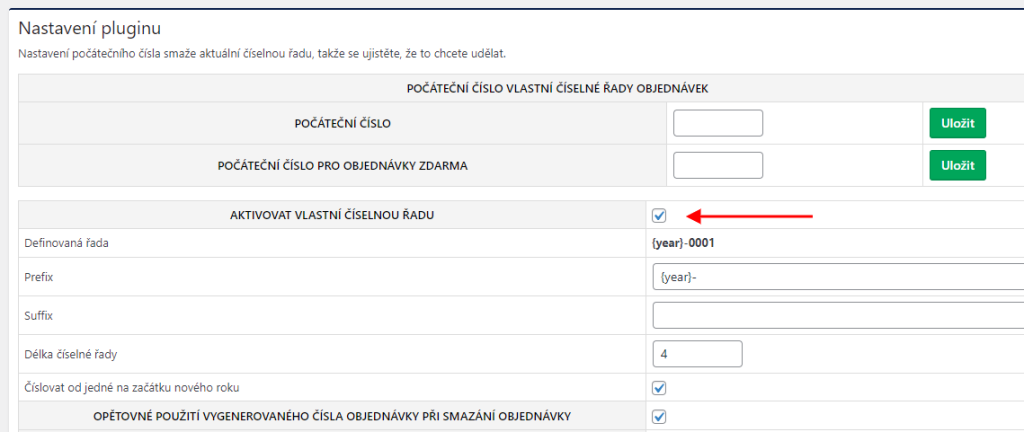
Finally, it is necessary to activate the set number series by checking the box.
Number Series Settings for Free Orders
The plugin contains a function where it is possible to set a separate number series for orders that are free. It contains the same setting options as listed above. Thus, you can set Prefix, Suffix, Number series length, and Numbering from one at the beginning of the new year.
Example: 2021-0001-free
Deleting Plugin Settings
Attention! Deleting numbering settings is irreversible.
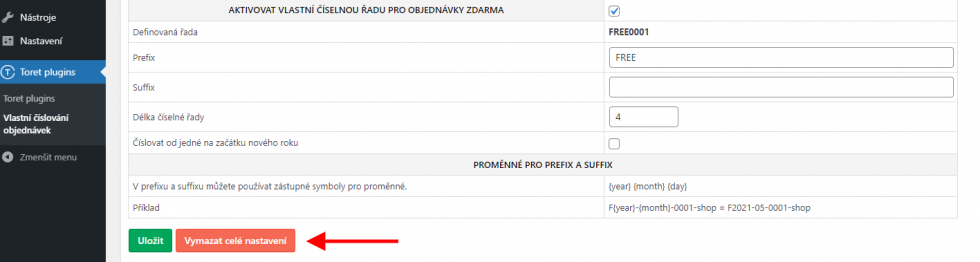
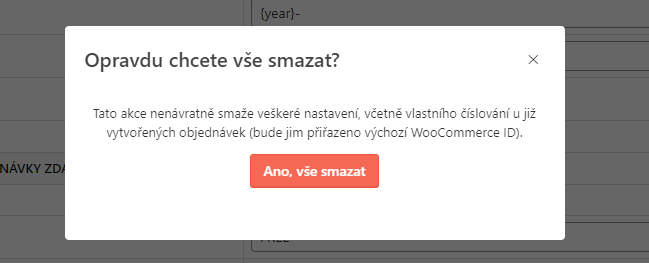
After clicking the “Vymazat celé nastavení” (Delete all settings) button, a pop-up window opens with a warning that deleting settings is irreversible and numbering for already created orders will also be deleted. These orders will again have the number assigned by WooCommerce. Deletion must be confirmed in this window by clicking the “Ano, vše smazat” (Yes, delete everything) button.
Plugin testing
For testing purposes, you can use:
- the subdomain “dev.domainlicense” (with the same license as for the production website)
- localhost (127.0.0.1)
Purchased plugins will also work in these locations, and you can test their implementation and compatibility here before deploying them to the website and during its use.